Choosing the Right Tech Stack for Your SaaS

The tech stack you choose on day one will shape every decision you make for the next few years. Pick well and you'll move fast with confidence. Pick poorly and you'll spend more time fighting your tools than building your product.
Start With What You Know
The right tech stack is one your team can actually ship with. A solo founder who knows React will build faster with Next.js than with a theoretically superior framework they've never used. Familiarity beats novelty almost every time.
That said, a few decisions are worth getting right early.
Type Safety Is Not Optional

TypeScript catches an entire category of bugs before your code ever runs. Misspelled property names, incorrect function arguments, missing null checks — these are the bugs that slip through code review and show up in production at 2 AM.
The overhead of adding types is minimal once you're past the learning curve. The payoff — fewer bugs, better autocomplete, safer refactoring — adds up over time.
The numbers back this up. The Stack Overflow Developer Survey shows 38.5% of developers now use TypeScript regularly, with adoption growing about 15% year over year. A 2017 analysis by University College London estimated that 15% of bugs in JavaScript codebases could be caught by a type system — and that's a conservative lower bound. One fintech startup that adopted TypeScript from day one reported a 73% reduction in production bugs within six months — not because types are magic, but because they force you to handle edge cases at write time instead of discovering them in production.
The investment pays off fastest in teams. When three developers touch the same codebase, types act as documentation that the compiler enforces. No guessing what shape a function expects or what it returns — your editor tells you, and refactoring a shared interface updates every consumer automatically.
Pick a Styling Approach and Commit
CSS debates are endless, but the actual decision matters less than consistency. Whether you choose Tailwind CSS, CSS Modules, or styled-components, pick one and use it everywhere. Mixing approaches creates cognitive overhead and makes components harder to maintain.
This starter uses Tailwind CSS because:
- Co-location — styles live next to the markup they affect
- No naming — you never have to invent class names
- Design constraints — the default scale prevents inconsistent spacing and sizing
- Performance — unused styles are stripped at build time
The performance difference is worth noting. Tailwind's build process strips unused classes from production bundles — one benchmark showed CSS dropping from 413 KB to 74 KB, an 82% reduction. Styled-components, by contrast, injects styles into the DOM at runtime. That overhead grows with component count, and on pages with hundreds of styled elements, the rendering cost shows up in profiler traces. CSS Modules avoid runtime costs but require naming every class and maintaining separate files.
For a SaaS where page load time affects conversion rates, compile-time CSS with zero runtime cost is a practical advantage over solutions that do work in the browser.
The Database Question
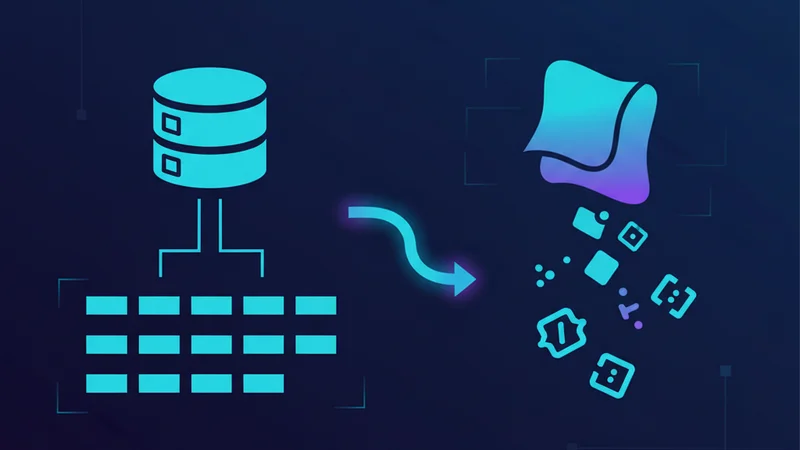
Not every SaaS needs a database on day one. If your product is content-driven (blogs, documentation, marketing sites), static files and Markdown get you surprisingly far. Add a database when you actually need one — user-generated content, real-time data, complex queries.
When you do need persistence, PostgreSQL is the safe default. It handles relational data, JSON documents, full-text search, and geospatial queries. You're unlikely to outgrow it.
The adoption data tells the same story. PostgreSQL holds 55.6% developer adoption versus MongoDB's 24% in the 2025 Stack Overflow survey — and the gap is widening. For multi-tenant SaaS specifically, PostgreSQL is the only open-source database with native Row-Level Security (RLS). RLS lets you define access policies at the database level — one tenant can never see another tenant's data, enforced by the engine itself rather than application code you hope is correct.
MongoDB still makes sense for specific cases: content management, event logs, or applications where the schema genuinely changes per record. But for a SaaS with users, subscriptions, and relational data, start with PostgreSQL. You can store JSON documents in it too when you need flexibility.
Authentication: Build vs. Buy

Rolling your own auth is a rite of passage, but it's also the easiest way to introduce security vulnerabilities. Services like Supabase Auth handle password hashing, session management, OAuth flows, MFA, and email verification — all things that are easy to get wrong and tedious to maintain.
Use a managed auth service. Spend your time on features your users actually care about.
The cost of DIY auth is higher than it appears. Building a basic email/password flow takes 3–6 weeks of engineering time. A managed platform gets you there in about 15 minutes. But the real expense is maintenance — custom auth systems require 40–80 hours per month for security patches, session edge cases, and new OAuth provider integrations.
Security is the bigger risk. Custom implementations typically handle 3–5 of the 15 common authentication vulnerabilities. Managed providers cover all of them and see attack patterns across millions of users that a single-product team never will. Microsoft's data shows that enabling MFA alone prevents 99.9% of account compromise attacks — and managed auth ships MFA out of the box.
Deploy Early, Deploy Often
Your tech stack should make deployment boring. Platforms like Vercel turn every git push into a production deploy with preview URLs, rollbacks, and zero-downtime updates.
The faster your feedback loop, the faster you learn what works. Choose tools that make shipping easy, not tools that make shipping an event.
The ideal setup: push to a branch, get a preview URL in under a minute, share it with a teammate, merge when it's right. That cycle — code, preview, feedback, ship — should take minutes, not hours. If deploying requires SSH access, manual build scripts, or a dedicated DevOps person, that friction compounds every single day.
Preview deployments deserve special attention. Every pull request gets its own URL with the exact state of that branch. QA happens on the real thing, not a local dev server. Stakeholders can review without cloning the repo. When you merge, the production deploy happens automatically — same pipeline, same confidence, no manual steps.
Further Reading
- TypeScript Handbook — Official guide to TypeScript's type system
- Tailwind CSS Documentation — Utility-first CSS framework reference
- Supabase Documentation — Open-source Firebase alternative with auth and database
- Vercel Deployment Docs — Platform for deploying Next.js applications